Both directions · Near-instant updates
Google Calendar
QEST events appear in Google, and events from your connected primary Google calendar appear in QEST. The parent who connected that calendar can edit or delete its imported events in QEST.
A plan for the household
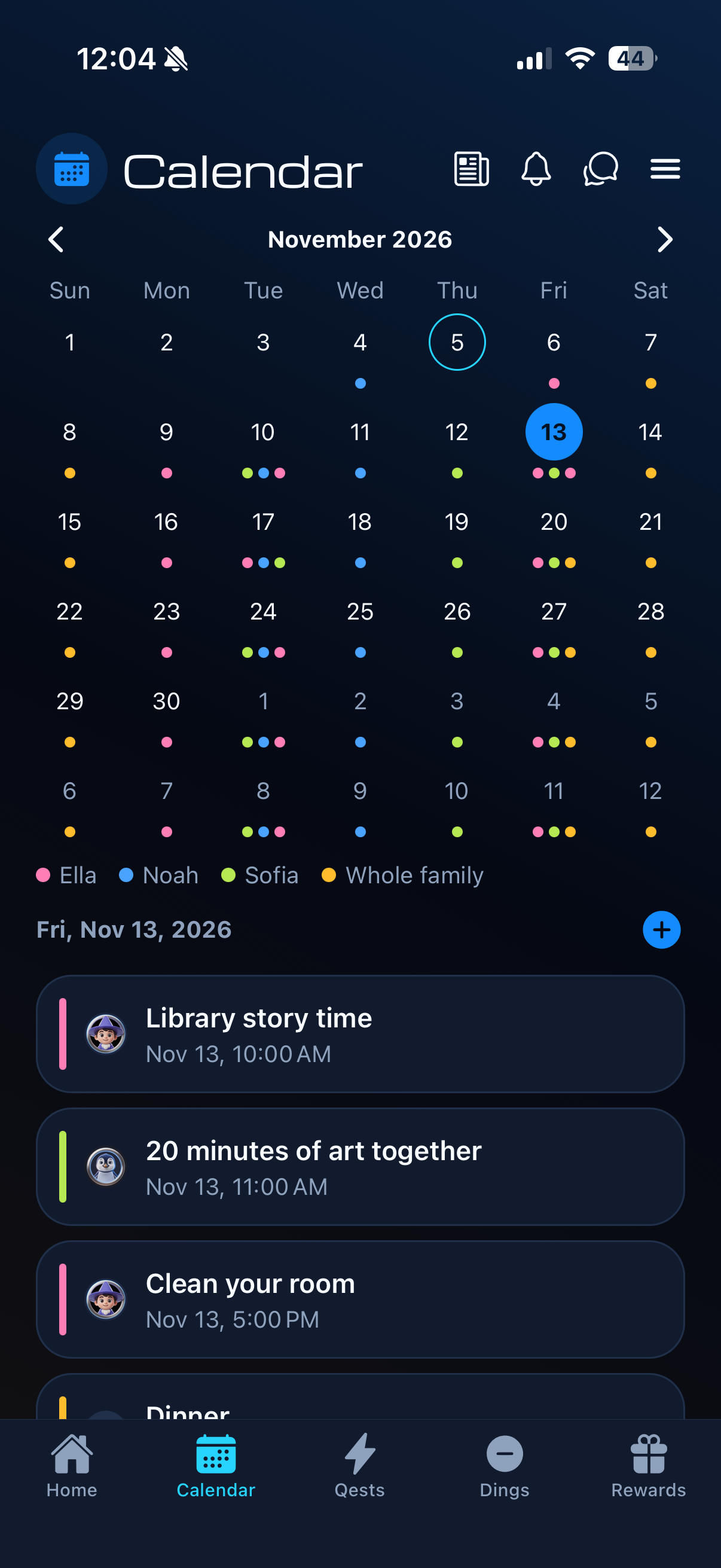
School days, appointments, Qests and something to look forward to. Bring the moving parts together in a calendar your family can share.

Family · $5.99 / month. See all plans.

The everyday, together
See Qests, family appointments and activities in one place. The little responsibilities and the bigger plans can share the same day.
Something to look forward to
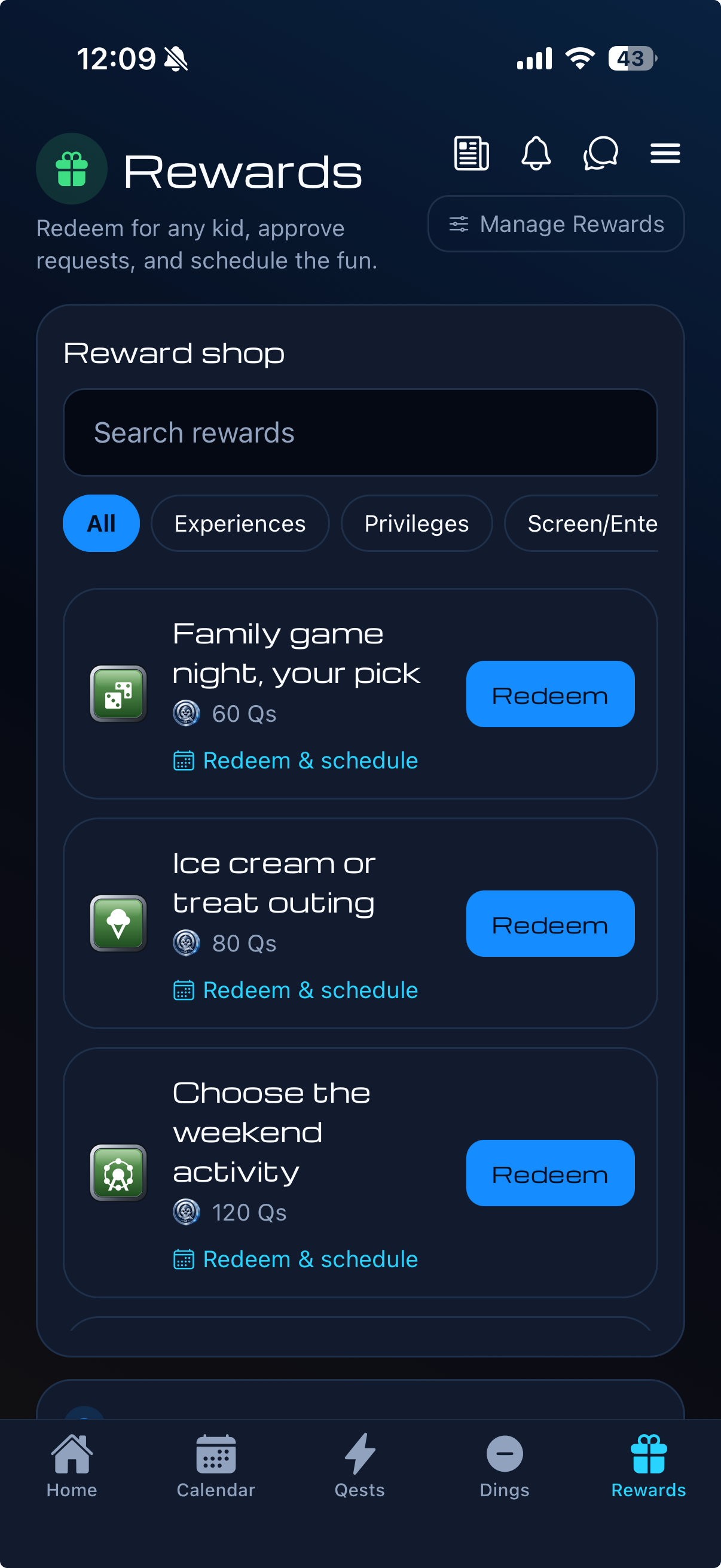
When a parent approves a reward that can be scheduled, they can add it to the family calendar. Movie night becomes a plan everyone can look forward to.
Bring your calendars together
Calendar sync is included in Family and Family+. Choose the connection that fits your household.
Your shared family calendar
Both directions · Near-instant updates
QEST events appear in Google, and events from your connected primary Google calendar appear in QEST. The parent who connected that calendar can edit or delete its imported events in QEST.
Both directions · Near-instant updates
QEST events appear in Outlook, and events from your connected primary Outlook calendar appear in QEST. The parent who connected that calendar can edit or delete its imported events in QEST.
Both directions · Scheduled updates
Changes arrive at the next scheduled sync. Apple events are view-only in QEST, so edit them in Apple Calendar. Connecting requires an Apple app-specific password.
Google and Outlook use live updates with scheduled checks as a fallback. Apple sync in QEST runs on a schedule.
Make the connection
In QEST Settings, open calendar sync and choose your calendar provider.
Follow the connection steps for Google or Outlook. For Apple, enable two-factor authentication for your Apple Account, generate an app-specific password, and use that password to connect iCloud.
Google and Outlook update within moments. Apple updates on a schedule, with imported Apple events available to view in QEST.
Choose “Connect Google Calendar” or “Connect Outlook Calendar”. For iCloud, enter your Apple ID and app-specific password, then choose “Connect Apple Calendar”. “Sync now” checks for updates.
Apple’s app-specific password guide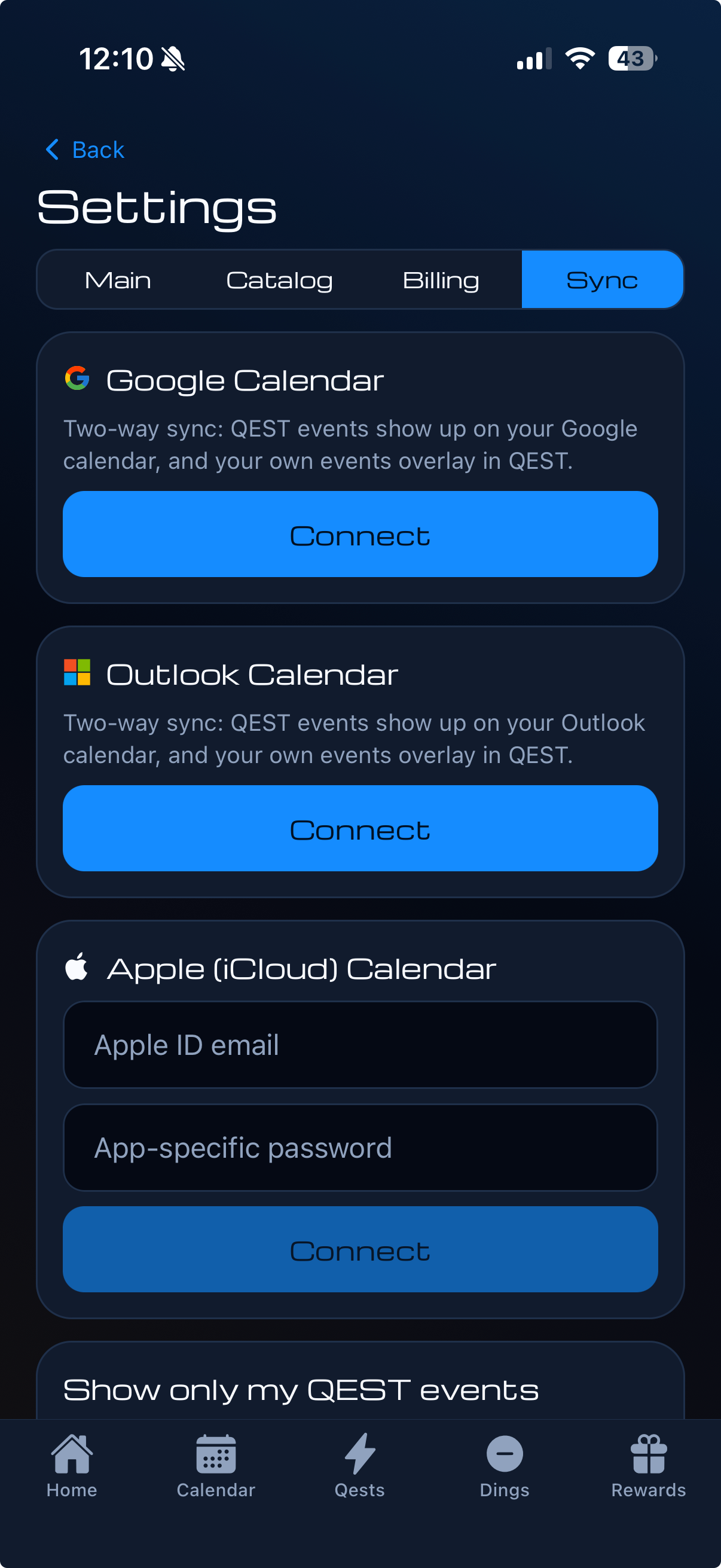
One place to start
Start your family’s Qest. Explore Family and Family+ to connect the calendars you already use.